Yuhox Tongo.
Connect people to projects quickly, and let collaboration happen naturally.
How to start
Open workspace
Just open it in a browser — no installer needed. It can also be added to your home screen.
Sign in with your Yuhox account
If you already use another Yuhox product, there's no need to create a separate account.
Start a project
A name is all it takes. People join via an invite link and can start assigning tasks and reporting progress right away.
What it solves
Things start once people are in the project. Most tools make you set up an organization, roles, and workflows first — Tongo flips that: name it, send a link, and the next second you're assigning tasks and reporting progress. People · Projects · Progress, three things joined into one short path.
Why it's not a to-do app or an OA system
| Before | Now |
|---|---|
| You had to build an org chart before you could start working | A project can belong to no team at all; teams are optional, not a gate |
| Tasks in one app, people in another, and progress updates buried in a chat group | People, projects, and progress on the same chain |
| You had to compare calendars yourself to catch a scheduling clash | Personal schedule flattens every project onto one view, with overlaps marked directly |
| Adding people to a project used to mean filling out forms and waiting for approval | Copy the invite link — the other person joins as soon as they click it |
Core capabilities
- 01
The core flow is short
A name is all it takes to start a project. People join via an invite link and can start working the next second.
- 02
People and projects, connected
Between a person and a project it records a relationship, not hardcoded teacher/student roles. Labs, small teams and individuals running multiple projects all use the same setup.
- 03
What to do today
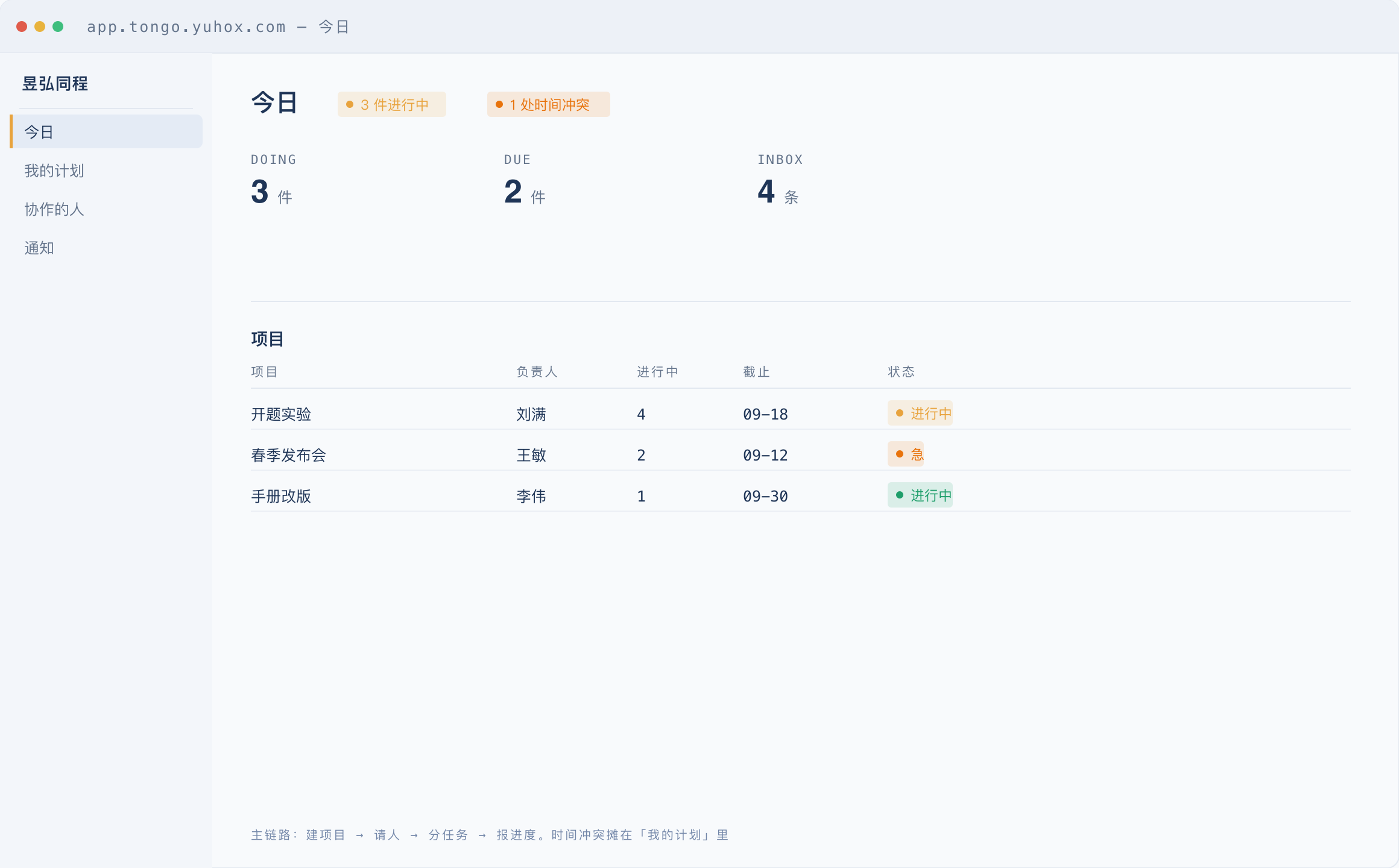
The Today view lays out every project. Time conflicts are flagged directly instead of waiting for you to spot them.
- 04
Core features are free
Creating projects, inviting people, tasks, progress and discussion stay free forever. 200MB per person, shared between the personal desktop and the projects under your name; you can open 3 projects with 5 full seats each. Files within the free quota never expire.
- 05
Four editions
Free, Team, Pro and Enterprise editions. What differs is the number of projects, people and capacity, not the features. For Enterprise, private deployment and custom development can be negotiated separately.
- 06
Advanced capabilities bought per person
Advanced features like the Gantt chart aren't in any edition; they're add-ons bought per person per day, in three terms: 1 month / 3 months / 1 year. People who don't buy them still create projects, invite people and get work done.
- 07
Project storage can be expanded
When space runs out, anyone in the project can buy more on the site. Extra storage is 3× object-storage cost; you pick both days and size.
- 08
Unified identity
Sign in with your Yuhox account — no need to register again.
Who it is for
Labs and research groups
Proposals, experiments, papers — people and progress all need to be laid out on one table
Small project teams
See what to do today at a glance — not a whole OA system
People juggling several projects at once
See conflicts ahead of time, not in the middle of a meeting
Why this one
The core flow is short
Create a project → invite people → assign tasks → report progress. A name is all you need — you can invite people the next second.
Relationships aren't hard-coded
Not a teacher-student template. Advisors with students, small company teams, individuals running multiple projects — all the same setup.
Core features are free
Collaboration itself is free. Advanced capabilities like the Gantt chart are bought separately per person per day; without them you still create projects, invite people and get work done.
The webpage is the workbench
An installable PWA, updated via CDN. The initial form factor is not an installer.
Same job, two ways
The left column is what most collaboration tools do today. The right column is how Yuhox Tongo is actually built now.
| Topic | Common practice | Yuhox Tongo |
|---|---|---|
| Getting started | Fill in the organization, roles, and workflow first | Name it and create a project — people join via a link |
| Time | Each project has its own calendar | One weekly calendar for your personal schedule, with conflicts marked directly |
| Paid | Basic collaboration still requires seat fees | Core features free; advanced capabilities like the Gantt chart are bought per person per day |
Key parameters
| Status | Live; features keep being added |
|---|---|
| Form | Web workbench (installable as a PWA) |
| Account | Connect to Yuhox unified sign-in |
| Pricing | Core features are free; capacity, seats, project slots and advanced capabilities are add-ons bought by usage |
Up front
Can we use it now?
Yes. Open the workbench with your Yuhox account and you have a working project: creating projects, inviting people, assigning tasks and reporting progress are all there. More keeps landing; we don't write up what isn't built as if it were.
Do I need to set up a team first?
No need. A project doesn't have to belong to a team. Add one later if you need it.
How is this different from Yuhox Works?
Works is about assigning jobs, doing the work, sign-off, and settlement. Tongo is about connecting people to projects with visible progress. One leans toward on-site delivery, the other toward getting things done together.
Where is the data stored?
Hosted on servers we provide, located in mainland China by default. Accounts use unified Yuhox sign-in — Tongo's database doesn't store passwords.
One account, multiple systems
If you use several Yuhox systems, one account covers them all. No separate accounts or passwords per system.